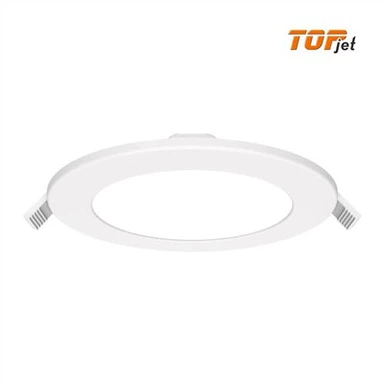
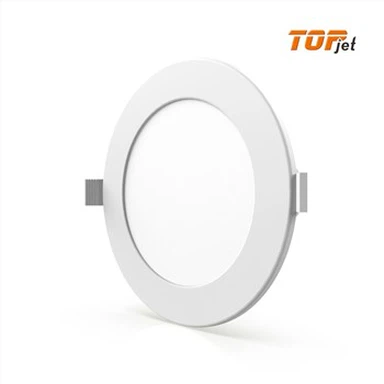
Wifi Controlled Recessed Lighting
wifi controlled recessed lighting, remote control, free dimming and CCT adjusting, smart control by phone.
- Fast Delievery
- Quality Assurance
- 24/7 Customer Service
Product Introduction
Simply replace the old recessed light and you can enjoy the pleasure of WiFi controlled recessed lighting without changing the original conventional circuitry.
When you control one or more LED recessed lights with the mobile app, you can set the recessed lighting on/off time. Make your life smarter and more energy efficient. And you can also set up groups for single or multiple lights. Realize that you can manage the color and brightness of the lights in different rooms of your home at your own pace.

Product parameter
| Model No. | Size | Cutout | Power | Flux | Voltage | PF | CRI | Beam Angle |
RP-3''-6W | Ф115*32 | Ф100-110 | 6 | 400 | 165-265 | 0.7 | 80 | 120° | |
RP-5''-12W | Ф170*32 | Ф150-160 | 12 | 900 | 165-265 | 0.8 | 80 | 120° | |
RP-7''-18W | Ф220*32 | Ф200-210 | 18 | 1500 | 165-265 | 0.8 | 80 | 120° | |
RP-8''-20W | Ф240*32 | Ф220-230 | 20 | 1600 | 165-265 | 0.8 | 80 | 120° | |
RP-8''-24W | Ф240*32 | Ф220-230 | 24 | 2100 | 165-265 | 0.8 | 80 | 120° |


How to set up with wifi controlled recessed lighting
Download the Tuya app.
Turn on WiFi and Bluetooth on your phone.
Tap "Add Devices"on home page and the hub will pop up to be added immediately.
Enter the WiFi password to connect your phone with the hub(password does not include symbols)
Click on the hub and tap "search new device.
Turn the lights on and off 3 times when you finally see the lighting to light on each cycle(breathing mode) till it brightens.
Click "Confirm" and select the "Auto Scan" and wait for the smart recessed lighting to pop up so that you can add them.

FAQ
Q1: What color temperature does this recessed lighting have?
A1: We have 3000K, 4000K and 6500K. So we have CCT Changeable, which can help you save SKU.
Q2: What item would you recommend for the smart control lamp ?
A2: smart led downlights alexa would be on the list of our recommendations. With the latest TUYA WiFi control technology , this WiFi series can allow you to control your lamps at will.

Installation
Step 1. Turn off the power supply to ensure safety
Step 2. Drill a suitable hole size with the tools
Step 3. Connect the wires with the wire connector
Step 4. Install the WIFI control downlight and turn on the power.
The WiFi controlled recessed lighting is suitable for retrofit and new decoration: Cut a 150mm hole in the ceiling. Connect the wire to the cable; Use spring clip to fix it on the ceiling. Only Tuya APP can be used to turn the lights on/off, not dimmer switches. Dimming is done by using the mobile APP to adjust the brightness, color etc.